- Workflow
- DAM basics
Document versioning: how to get multiple file versions under control
Several file versions in circulation and nobody knows which one applies? This is how automatic versioning in digital asset management software ends version chaos in your company.
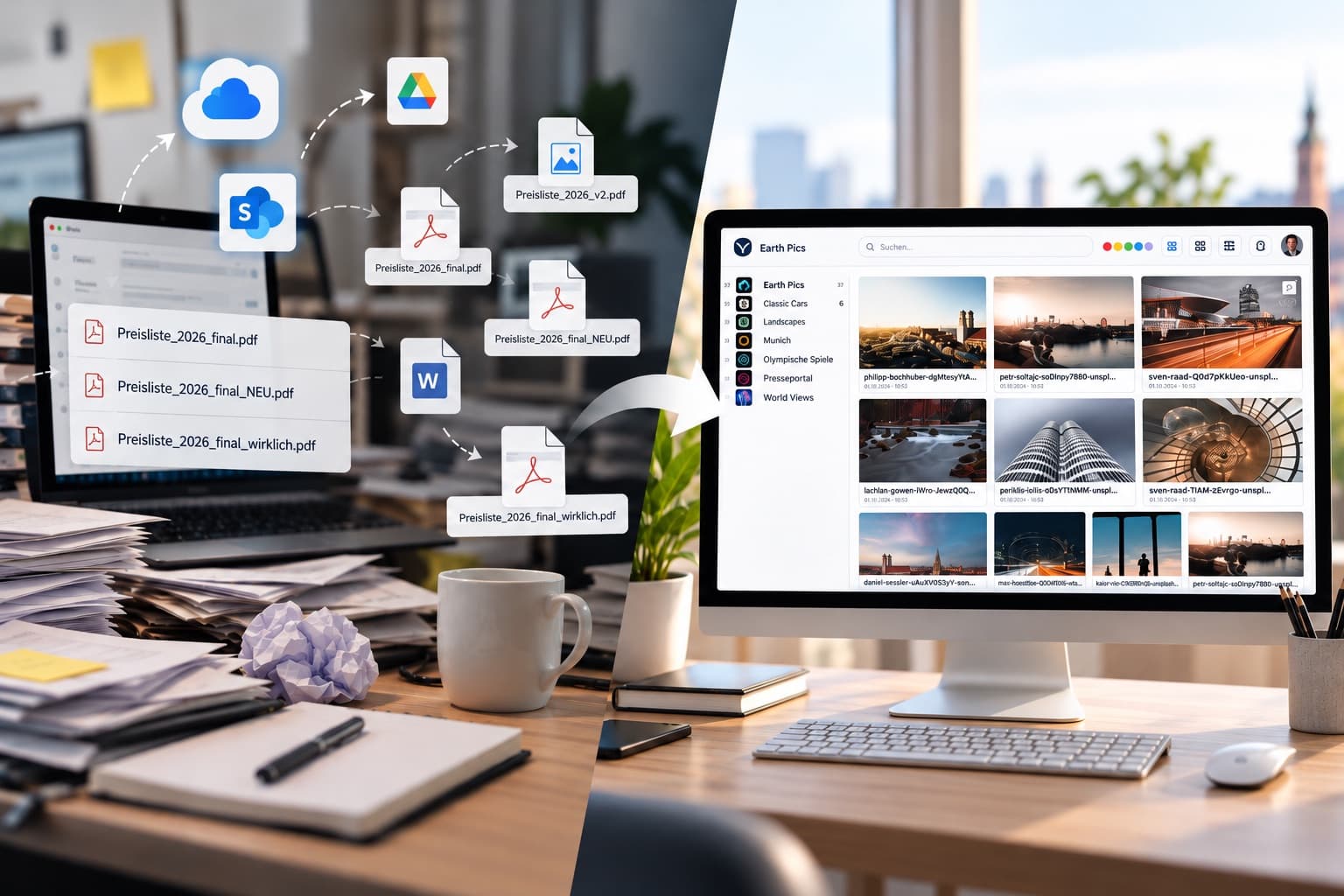
Which version of an important file is the current, valid one in your company right now? The question sounds trivial, yet in many teams nobody can answer it off the top of their head. Spread across email attachments, cloud folders and local drives, several versions of the same file often exist at the same time, and every further revision makes things harder to follow. This article explains why versioning is a central building block of working document management, how automatic versioning works in practice in digital asset management (DAM) software, and where it makes the biggest difference in day-to-day business.
The problem: when nobody knows which version is valid any more
The classic case looks much the same in most companies: a price list, a product brochure or a contract template is edited by several people, one after another or in parallel. Every revision is saved, often under a new file name, because no system in the background manages versions automatically. In the end, files such as "Preisliste_2026_final.pdf", "Preisliste_2026_final_NEU.pdf" and "Preisliste_2026_final_wirklich.pdf" sit side by side, scattered across mailboxes, personal cloud folders and shared drives.
Which version actually ends up being sent to a customer, published on the website or fed into a marketing campaign is then often pure luck. In the most harmless case, this only costs time because someone has to ask or compare first. In the worse case, outdated prices, a superseded corporate design or a contract clause that was revised long ago go out to customers, partners or the public. Especially with documents that have legal or financial relevance, such as price lists, quotation templates or contracts, a single outdated version that accidentally stays in circulation can lead to real costs, or at least to some explaining to customers.
On top of that, there is a structural problem: without central version management, it is hardly possible to trace afterwards who made which change and when. This makes not only troubleshooting harder but also collaboration itself, when several people work on a document or a series of images at the same time.
What versioning and version control mean in document management
In document management, versioning means systematically recording and tracking every change to a file. Instead of creating a new, separate file with every revision, the file is kept as one object, with a history of all its versions stored in the background. Users can see at a glance which version is currently valid, but can also access earlier versions when needed.
Version control goes one step further and describes the organisational and technical rules that determine who may create, edit or replace new versions. In software development, this principle has been established for decades through systems such as Git. In everyday office work with Office documents, PDF files, images and other assets, however, many companies still lack a comparable system today, even though the underlying problem is identical: several people edit the same file, and it must be clear at all times which state is the valid one.
Digital asset management (DAM) applies exactly this principle to all kinds of company files, from images and videos to layouts, documents and templates. DAM software is therefore more than simple storage; it is the central, structured source for all of a company's digital assets, including their version history.
How automatic versioning works in everyday work
In DAM software such as VAULO, versioning runs automatically in the background, without users having to take care of it actively. When an existing file is updated and uploaded again, the system recognises it as a new version of the same file instead of creating a completely new, independent file. Everyone involved can therefore see at a glance at any time which version is currently valid, while older states are kept and can be viewed when needed.
This goes hand in hand with clear access rights: you can define who is allowed to upload new versions or replace existing files in the first place. Instead of every person in the team creating their own copy and distributing it by email, there is one central, searchable repository that everyone with permission accesses. Combined with automatic tagging, in which content such as motifs, objects or document types is recognised and tagged automatically, the right file can still be found immediately months later, regardless of how many revisions have taken place in the meantime.
The result is a workflow in which the question "Which version is actually the current one?" no longer arises at all, because the answer is visible directly in the system instead of having to be laboriously reconstructed from emails and file names.
Use cases: where versioning makes the biggest difference in a company
Versioning shows its strengths wherever documents or images are revised repeatedly and, at the same time, go out to external parties or to several departments:
- In marketing and sales teams, this mainly concerns price lists, product catalogues, brochures and presentations that are updated regularly and circulate both internally and externally.
- In legal and purchasing departments, it is often about contract templates and terms and conditions, where an outdated clause can quickly lead to misunderstandings with customers or suppliers.
- In communications and design teams, it concerns logos, imagery and corporate design templates, where an old version of the brand identity can give an unprofessional impression to the outside world.
- Wherever several locations or external service providers such as agencies access the same materials, central version management ensures that everyone involved is actually working with the same, current state.
Automated versioning compared with manual file management
Without automatic versioning, everyday work usually makes do with naming conventions, in which additions such as "final", "new" or a date in the file name are supposed to mark the current state. This approach is error-prone because it depends entirely on the discipline of every single person who works with the file. A single forgotten rename or an email forwarded to the wrong person is enough for an outdated version to live on.
Automatic versioning in DAM software shifts this responsibility from the individual to the system. The currently valid version is technically unambiguous instead of depending on a naming convention that can be broken at any time. At the same time, the full history is kept, so you can trace at any time how a document came about, without having to keep several separate files in parallel.
For context, a much-cited survey of knowledge workers in the USA and the UK, admittedly dating back to 2013 (conducted by Harris Interactive on behalf of Perforce), found that a large share of respondents regularly lose time to versioning problems and have at some point worked on a wrong or outdated version of a file. Even though the world of work has changed since then through cloud services and hybrid working, the study shows that the underlying problem, namely the lack of technical clarity about which version is currently valid, is not a new phenomenon, but one that has grown rather than shrunk as files are now spread across even more channels.
Frequently asked questions about document versioning
What is the difference between versioning and a normal backup?
A backup saves a complete set of data at a specific point in time, usually for recovery in an emergency. Versioning, by contrast, specifically manages the individual editing states of a particular file and shows at any time which version is currently valid and which earlier states exist. The two complement each other but solve different problems.
Are old file versions deleted with automatic versioning?
No. With properly implemented versioning, earlier versions are kept and can be viewed when needed. For daily work, however, the currently valid version is clearly displayed, so you do not have to weigh up several states in everyday use.
Isn't a consistent file naming convention enough?
A naming convention can help in the short term, but it depends entirely on every person in the team following it consistently. As soon as a file is copied, forwarded by email or saved locally, the convention loses its effect. Automatic versioning in a central repository, by contrast, makes the current version technically unambiguous, regardless of how individuals behave.
Which file types is versioning suitable for?
In principle, for all file types that are revised over time, such as Office documents, PDF files, images, videos or layout files. It is particularly relevant for files that are updated regularly and, at the same time, go out to external parties or are used by several people or departments, for example price lists, contract templates or marketing materials.
How are versioning and access rights related?
Versioning answers the question of which version of a file is currently valid. Access rights answer the question of who is allowed to change or replace that version, or upload a new one, in the first place. Together, the two mechanisms ensure not only that it is clear which version applies, but also that new versions are only created by authorised people.
Is versioning worthwhile for smaller companies too?
Yes. The problem of parallel, unclear file versions arises regardless of company size as soon as more than one person works on the same documents or images. Especially in smaller teams without their own IT department, an automated solution pays off because it does not require any additional organisational discipline to work reliably.
Conclusion
Which version of a document is currently valid should not be a matter of luck in everyday business. Automatic versioning, embedded in a central, searchable repository with clear access rights, removes exactly this risk from day-to-day work and creates technical clarity instead, regardless of how many people work on a file. If you would like to see how versioning, access rights and automatic tagging can be used in your own company, you can request a no-obligation demo of VAULO.